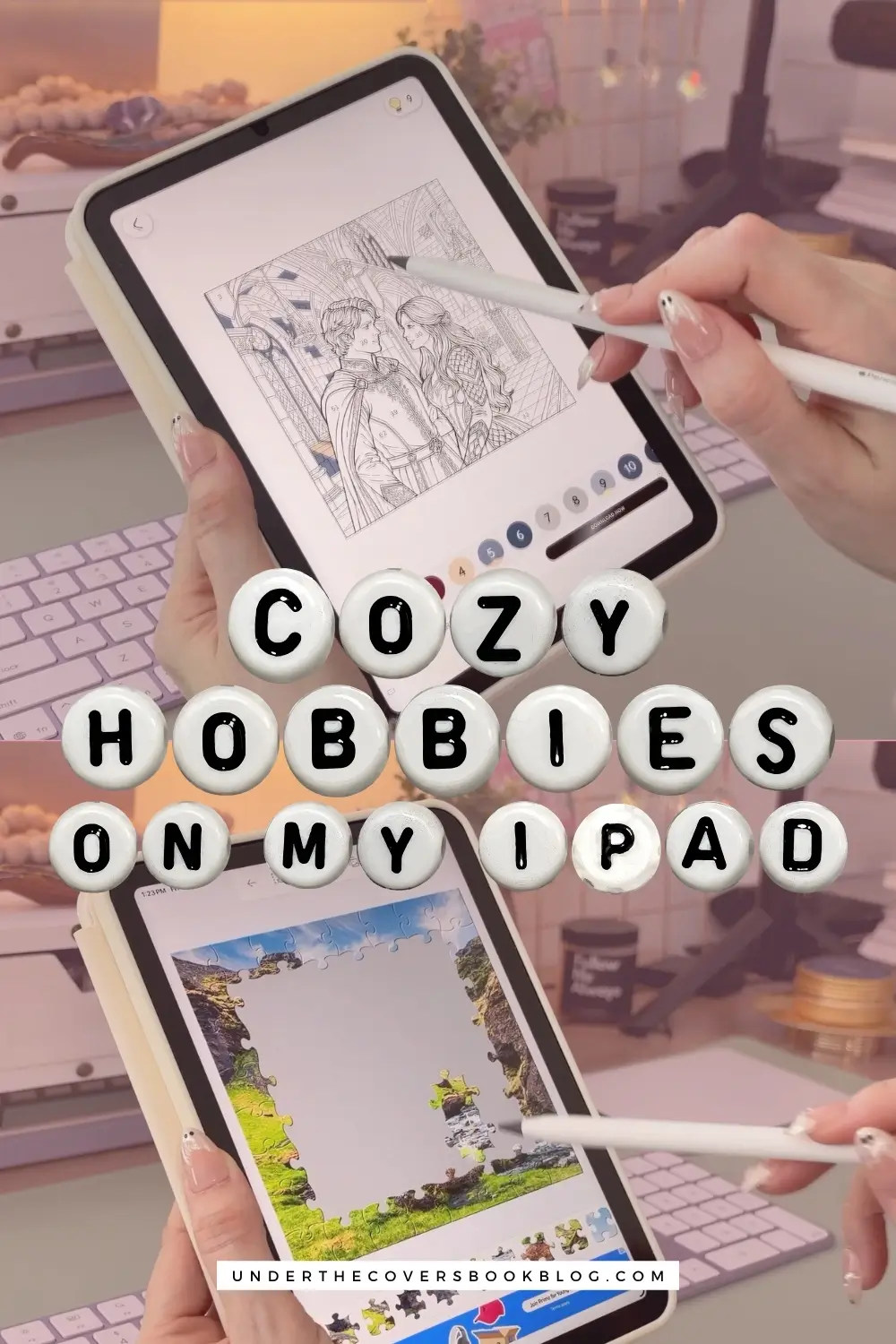
My iPad Became My Analog Bag for Cozy Hobbies (and Cost Almost Nothing)

Everyone is packing an analog bag right now. The cute pouch, the coloring books, the pencils, maybe a crochet project. I love watching those videos. I love a lot of those hobbies, and I even have one of those bags myself. But the thing that stops a lot of people from having one, and from having a cozy hobby that pulls them away from doomscrolling, is getting all the supplies. Because, let’s face it, they add up fast.
Also, a lot of us buy the bag, buy the supplies for the hobbies to go in it because we really want to get into them, and then they sit in a corner and we never look at them again.
But my analog bag has an iPad in it too and that iPad has become my cozy hobby sanctuary. It’s basically my analog bag in one device. Same cozy hobbies, and I spent almost no money on it. The only thing I give up is that my eyes don’t get a rest. It’s an ok trade in my opinion.
Prefer to watch instead?
This post contains affiliate links. That means we receive a small commission at no cost to you from any purchases you make through these links.
How my iPad replaced doomscrolling
Let me take you back to February of this year. It was a heavy month, a lot was happening, and there were so many days I just couldn’t concentrate on reading. And I’m a huge reader, obviously. But sometimes you can’t settle your eyes on a page or even just listen to an audiobook without getting distracted.
So I’d pick up my phone for a minute, look up an hour later and realize I’d been doomscrolling the whole time. And I just felt worse.
So I decided to put my iPad mini to good use and added things to it that could be an alternative to all that scrolling. Cozy games were the first. Then coloring, then puzzles. And I noticed they were giving me a sense of completion that felt so rewarding. You finish your tasks for the day. You finish a cafe day if you’re running a cafe. You finish the coloring page and you have a finished picture right there on the screen (which I save to my iPad). Endless satisfaction.
Scrolling just gives you more and more and more. It never ends and you end up in this void. You still get the little dopamine hit, don’t get me wrong, and I still scroll, but you never feel satisfied and accomplished. Every hobby I picked up on my iPad did the opposite.
Of course, that sent me down a rabbit hole. I started doing more real life projects again as well because I used to do those a lot. And I wanted all the things. Pencils, coloring books, puzzles, diamond art kits. And sometimes you buy the things and never use them, right? I wanted to bedazzle a book by one of my favorite authors with little jewels. I have every supply I need. It’s still sitting there, because I find it so intimidating that I don’t want to sit down and start.
But if you already have an iPad or any kind of tablet, you already have your analog bag. You just have to fill it with the right things and set it up right.
You don’t need a new iPad for this
Mine is an iPad mini I got in 2021 with 256GB. I barely used it except for reading. I originally bought it to be my GoodNotes planner on the go, and it turned out to be too small for actual planning. So it mostly sat there until I decided to put it to good use.
With every game and app I have on it now, it isn’t even half full, and it still works like a charm. You don’t need anything fancy or new. Whatever you have is good.
As a reader, this works even better for me because of hobby stacking, which is doing two hobbies at the same time. I listen to an audiobook while my hands are busy coloring, puzzling or doing a word search. Some cozy games need more of your attention, so those don’t pair as well with a book. But most of what’s on my iPad does.
First, take out the temptation
Before you download anything, go through your iPad and remove the apps that pull you back in. No work apps. No social media. I’d say no YouTube either, because it’s a big temptation.
If this is your only tablet and you need all those apps on it, make a custom Focus mode instead. Go to Settings, then Focus, and create a new one that shows a single Home Screen page. Put only your cozy hobby apps on that page. When the Focus mode is on, nothing else shows. Your work apps are still on the iPad, they just aren’t right there easy to access and switch to. That little bit of friction is usually enough. I walk through a similar setup for reading in how I replaced doomscrolling with reading.
Now you’re ready to fill it. Almost everything below is free.
Coloring apps instead of coloring books
Happy Color is a free paint by numbers app, and it’s the one I use most because it’s so simple. You don’t have to decide which color goes where. There’s no stress. You look for the number, tap the color, and move on.
Lake is for you if you’re more artistic with your coloring and want to explore real techniques, with more control over your colors and brushes. I pay for Lake because it features a variety of artists and you can see who made each page, and I like supporting them. It’s also the one I use the least because I’m not that artistic with my coloring. If you are, it’s perfect for you.
Infini is never-ending designs inside a design. You keep zooming into sections of the art and find a whole new page to color. It also has character art that’s perfect if you love Coco Wyo.
Lake and Infini both have paid plans, but you can close out of the offer and keep using them for free with fewer features.
Diamond art without gems all over the floor
If you’re into diamond painting, try Dazzly. It’s another color by number, but with little gems instead of colors. They look so cute, and watching them fill in on the screen is really satisfying.
It’s also a lot less intimidating than a real kit, and you don’t end up with tiny gems on your floor. Which, if I’m honest, is probably part of why that bedazzled book still isn’t done.
Brain games and puzzles
This is probably the category I use the most, because I love to challenge myself and fill a few minutes of time when I can. Right now I’m loving CubeAway. I also play Screwdom, Word Search, Magic Sort, Yarn Fever and Bus Traffic Fever.
ClueSearch is a word search too, but once you finish the puzzle you get to figure out who the killer is, where it happened and what the murder weapon was. If you like sudoku but want it a little cuter, I’ve played some Meowdoku.
And I will always, always recommend Hidden City. I’ve sunk so many hours into finding objects in that game over the years. It’s probably the app I’ve used most out of everything here. I was obsessed with it. For years.
If you’re more of a jigsaw person, the Jigsaw Puzzles app is free, and there are no puzzle pieces on the couch and no boxes to store.
Cozy games without a Switch
So much of the cozy game world is on the Nintendo Switch, and buying one might be out of your budget. I don’t have one either and I don’t plan on getting one this year. I play some games on Steam on my Mac, and every now and then I borrow my husband’s PC. But at night, when you’re lying in bed trying not to scroll, you’re not going to pull out a whole laptop to play a cozy game.
The iPad is right there, and it already has plenty of beginner friendly cozy games you can play for free. Even if you’ve never called yourself a gamer, these are easy to get into.
- Good Coffee, Great Coffee and Good Pizza, Great Pizza, from the same maker
- Heartopia, which I was obsessed with for most of this year
- Cat Mart if you want something faster paced. I did pay to remove the ads, only because I wanted to move faster.
Would you like to save this?
If a subscription is worth it to you, Apple Arcade has some fun ones I’m playing right now: Hello Kitty Island Adventure, Disney Dreamlight Valley and Wylde Flowers, which I am obsessed with at the moment. I have more picks in my cozy iPad games post.
Reading on your iPad for free
Of course, there’s reading, whether you have an e-reader or not. E-ink devices are easier on your eyes, yes. But you can set up your iPad to make it easier too.
My reading stack on the iPad is the Kindle app, Libby, the NetGalley app for ARCs, Audible and Libro.fm. Libby lets you read ebooks and listen to audiobooks for free with your library card. If you review books, you can get free books through NetGalley. And there are tons of free books on Kindle. Between all of that and the apps above, you can do the whole cozy hobby stack for $0.
For reading at night, turn on a reading Focus mode, and use Night Shift and dark mode. Then put your iPad on a little stand, lock the rotation, and turn the pages with a Bluetooth remote. You can already picture it no? You’re lying in bed with your hands under the blanket, super cozy, just clicking the pages. My full setup is in how I use my iPad mini as an e-reader.
Catch up on blogs without the algorithm
Something you may not have thought about is that your iPad is great for reading articles and blog posts and keeping up with the creators you love. I like keeping up with my favorites in a way that takes away the stress and the algorithm of social media. Here are two free apps do it.
Instapaper is for random links you find and don’t want to lose. When you see something you want to read later, send it to your Instapaper account.
Feedly is for the people you follow. Add their blogs, YouTube channels and Substacks, and every time they post something new, it shows up there for you, so you don’t miss anything.
Then pick a time every week to sit down with your iPad and go through all of it. Make it a whole thing. Get a little coffee, maybe a snack, and catch up with the people you care about.
Everything else on my iPad
- Spotify and Apple Podcasts, for when I want a podcast instead of an audiobook
- GoodNotes for my digital notebooks and Notion for my planner
- Procreate if you draw. It’s a paid app, and I don’t use it much because drawing isn’t my strength. You can also color free or cheap coloring pages in it.
- Pinterest, because it’s so much nicer on an iPad than on your phone
Frequently Asked Questions
Can an iPad replace an analog bag?
For me it covers most of it. Coloring, diamond art, puzzles, brain games, cozy games and reading all live on one device, and almost all of it is free. The trade-off is that your eyes don’t get a rest, so I use it on the nights I don’t have the energy to get my supplies out.
What are good free cozy hobby apps for iPad?
The ones I use most are Happy Color for paint by numbers, Dazzly for diamond art, Jigsaw Puzzles, Hidden City for hidden objects, and Good Coffee, Great Coffee for a cozy game.
How do I stop doomscrolling on my iPad?
Remove social media, work apps and YouTube. If you need them on that iPad, create a custom Focus mode that shows a single Home Screen page with only your hobby apps. That little bit of friction is usually enough.
Do you need a Nintendo Switch to play cozy games?
No. I don’t have one. The iPad has plenty of free, beginner friendly cozy games, and Apple Arcade adds bigger ones.
It’s still a screen, and I’m okay with that
With this setup you’re still looking at a screen so your eyes don’t get a break. But on the nights I don’t have the energy, or I just don’t want to get my supplies out, I would much rather open my coloring app and finish a page while I listen to an audiobook than scroll for an hour and feel gross about it, knowing I just wasted time.
If you want more games to fill your iPad with, my cozy iPad games list has the ones that got me through my reading slump, and my cozy fall games are the witchy ones I’m playing right now.
And if you’re still trying to get back to books, pairing any of these with an audiobook is the whole idea behind hobby stacking, and I share the rest of my phone habits in how I replaced doomscrolling with reading. So tell me, what’s on your iPad? If you have an app I should try, I want to know.
Pin It for Later