Inside My Notion Reading Tracker: How I Finally Simplified It

There are few things more humbling as a reader than realizing you either bought the same book twice or started reading something only to discover you already read it years ago and completely forgot. At some point, I had to accept that my brain was not going to keep track of my reading life for me, and neither was the random mix of apps, notes, screenshots and blind optimism I’d been using up to that point.
And yes, I used GoodReads and still use Storygraph religiously. They’re genuinely good at what they do and I’m not trying to talk you out of either. But they’re public and there are things I’d rather keep private. There’s also a lot they were simply not designed to show or track.
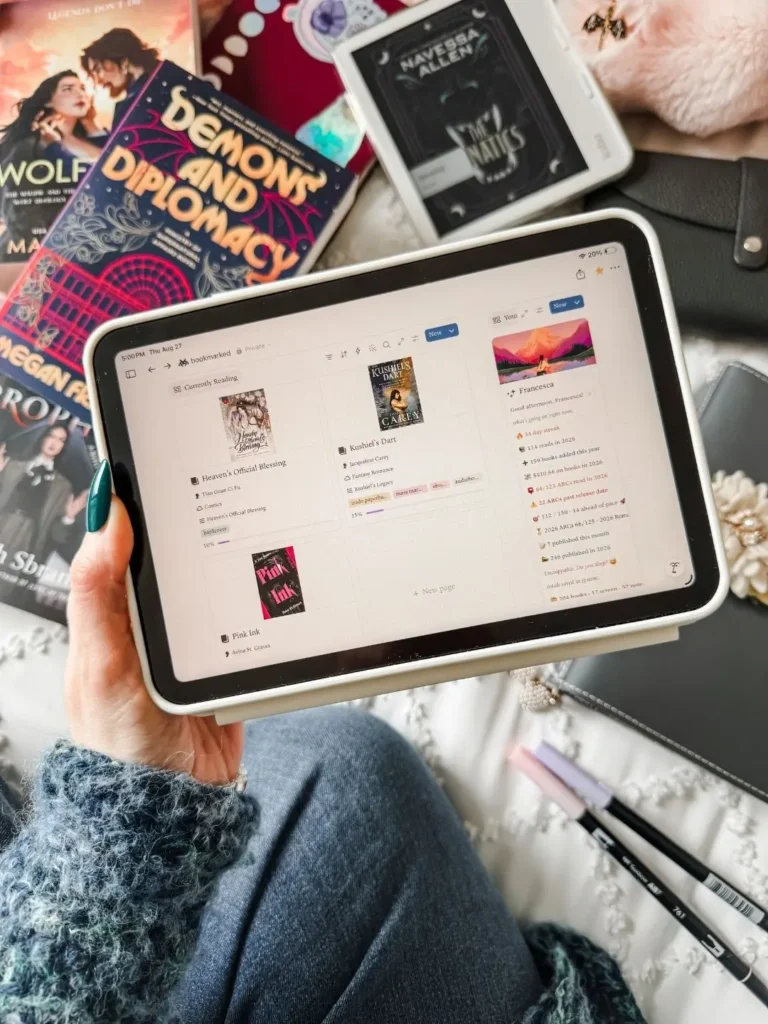
That’s what led me to create my Notion reading tracker. Over the years I’ve built many, actually. But ultimately I wanted a place to track what I’ve read, what I own, what I borrowed, what I pre-ordered and my reading life notes.
What I didn’t expect was that the hard part wouldn’t be building it, it would be keeping up with it.
This post contains affiliate links. That means we receive a small commission at no cost to you from any purchases you make through these links.
Why I started using a Notion reading tracker
I’ve tracked my reading in different ways, and I still do. GoodReads is where my reading has lived for the longest time, then I migrated to Storygraph (where I’m still at) and have played with other apps as well.
But I kept running into the same problem with all of them. I didn’t just want to log books. I wanted somewhere that all those things could reference and talk to each other, give me stats about my reading in general, and somewhere I could also keep my half formed opinions that I’m not ready to make public.
That’s where Notion comes in. It’s not a replacement for the online reading tracker I already use, but it’s the foundation underneath where everything lives.
I built many of them.
The problem with most Notion reading trackers
Here’s the thing. These problems I have found in so many reading trackers I’ve bought and even the ones I designed myself! But let me start with everyone else’s.
I’ve bought a lot of templates over the years, and a lot of second brains especially. They sell you on capturing everything, filing everything, connecting everything and they are genuinely impressive the moment you open them. But then you go to add data. There are 25 properties waiting for you to fill them in. Four of them need you to make decisions about where to file this. And maybe you do it wrong and never find it again. So now you’re building a page before you can log the thing you wanted to enter in the first place.
One time, it’s ok. But when you have to go through that for every book, every video, every screenshot you want to keep, the system stops being a place you put things and becomes a chore you’re perpetually behind on. The tracking was supposed to be the easy part!
And I can’t pretend I was only ever on the receiving end of that.
When I designed the ultimate bibliophile reading tracker, I made sure it had every feature I could think of. But at the time, Notion had limitations and things were just too complicated and had too many steps and too many properties. Then I built a TV and movies tracker, then yet another one for my content creation, and even more to track all my todos, wellness and even recipes.
So many systems to maintain, and so much tracking and checking that was not really ever needed. I was just one person having to feed all this data into a system, always behind, and never feeling the benefit of it. So I needed to simplify.
This is the thing that you may not think about when you see a beautiful template. Either it’s too basic and it’s not very useful, or it’s got all the use but the upkeep is huge.
And the advice you get is always to simplify. So I tried to strip things back and would end up with something clean but it didn’t do everything I wanted. Simple and useless to me.
Finding a way to keep it simple, mobile friendly and still keep the features I wanted while combining all aspects of my life in one, that took three years.
What I cut and why
Simplifying a tracker usually means losing the reason you wanted one in the first place. So instead of deleting features, I went after the friction of entering data.
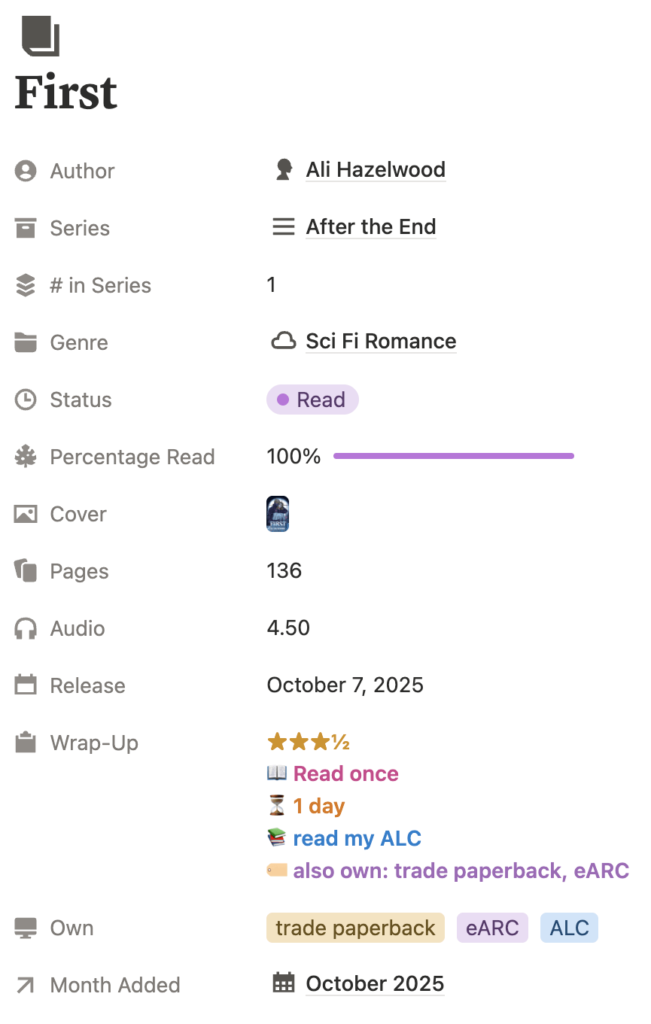
Data entry friction. So many databases that talked to each other. For example, I used to have separate databases for reading logs and editions of books that were not optional. You had to create editions if you wanted to log what formats you owned. That means adding a book you just got and are starting would look something like: create the book in the books database (fill out all the properties), create each edition you own in the editions database, create a reading log in the reading log database (and fill in even more properties, including uploading the cover AGAIN). And then when you finished you had to mark it complete on the reading log AND on the book. I’ve simplified this now to make a lot of these things optional. If you want to keep it simple, you never have to use the editions or reading logs. The same thing with the notes. I need to capture a screenshot of a link to a video I want saved as fast as possible. Not to make 25 decisions about what databases to link it to.
Property bloat. I had a stack of formulas each rendering its own little line of display text. Rollups for everything. Formulas converting the rollups. Yes, everything was useful but a database had almost 100 properties! Which makes Notion run a little slow.
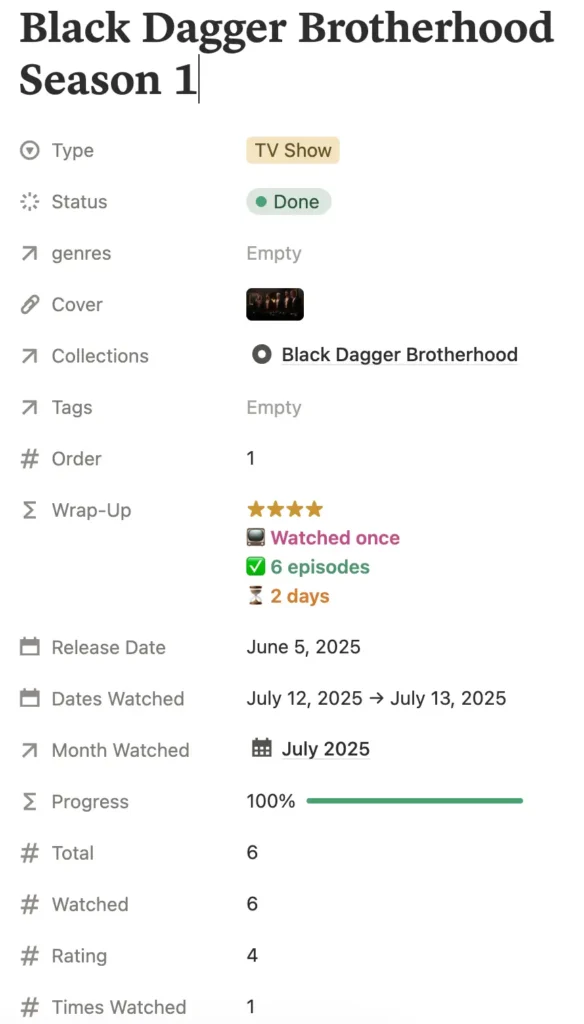
Episodes. My old TV template wanted a row for every single episode, with its own rating and notes. That means when I started a season of a TV show I would spend several minutes creating all of those single entries! Did I ever record full thoughts on individual episodes? No. And if I have any, they can all go in one Notion page. So now seasons get one row with a total counter of episodes and I update the watched number as I go.
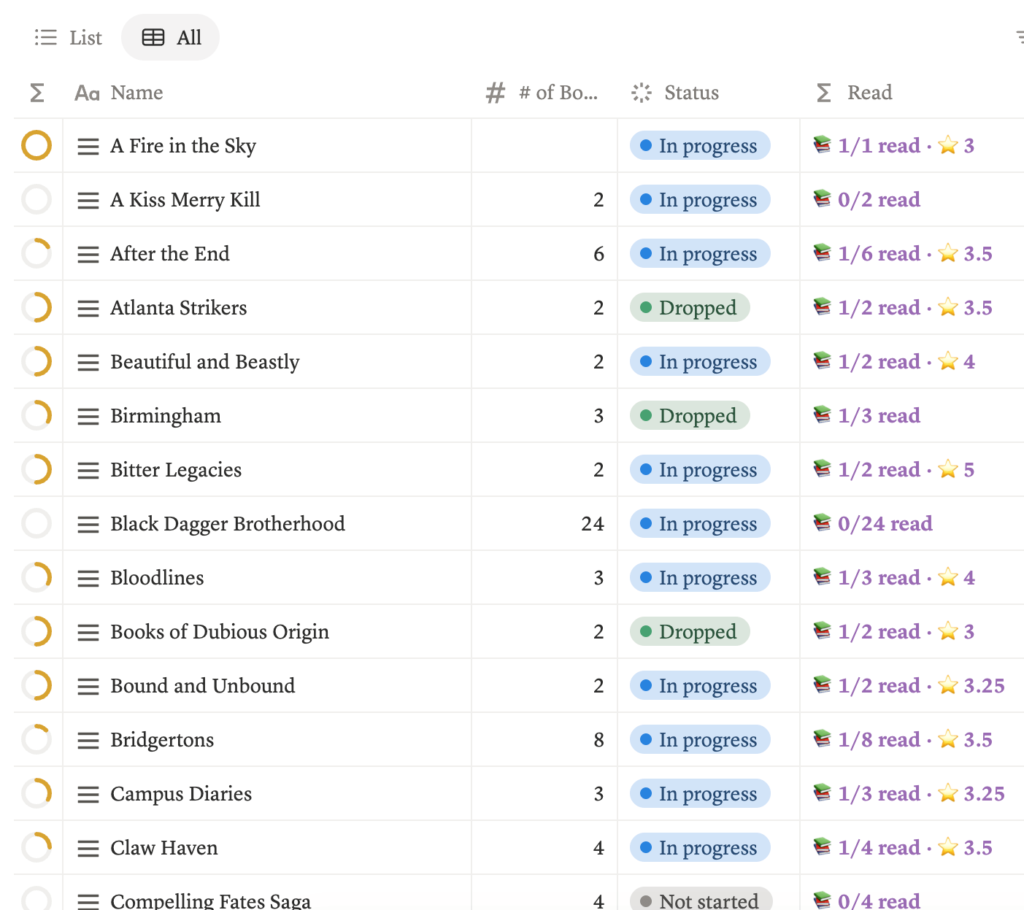
Series I haven’t finished buying. Series progress was not accurate if you hadn’t entered every book in the series in the system. That means if you wanted it to be accurate, you had to enter EVERY BOOK in the series into the system. Now there’s a manual number of how many books are in it, and the progress will always be right without you doing all that work.
Would you like to save this?
The rule I ended up with is that every database has to be as small as possible. And the data entry has to be as fast as possible to capture the data. Also, the template design itself needed to be as mobile friendly as possible so it can all be done from my phone at 1am.
What I got with the Bookmarked Notion Template
Three major things. I had managed one or two of them, in various versions, but never all at the same time. And yes, it took three years of trial and errors. My Notion templates graveyard is impressive at this point.
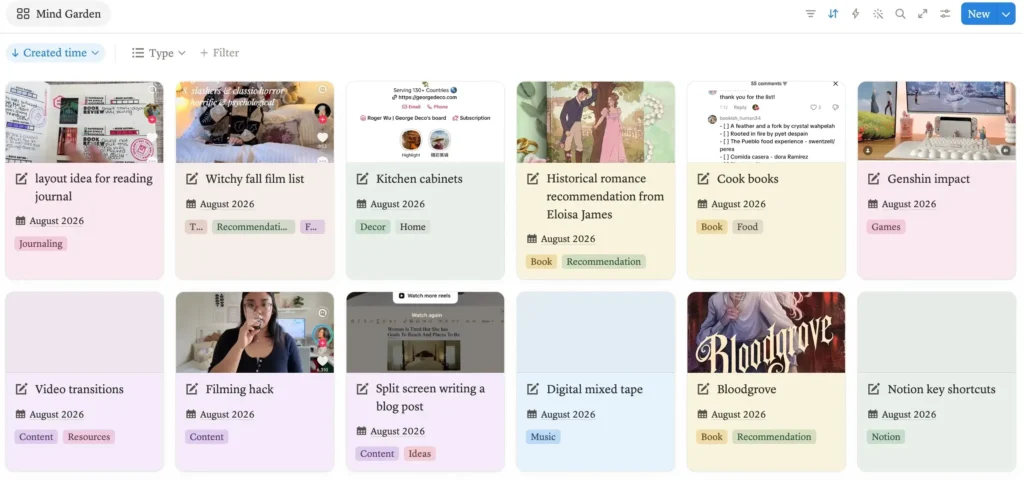
Everything I want in Notion is all in one place. Reading, watching, content planning and the random things I want to save so they don’t get lost in the photo album where all screenshots go to die. Basically a screenshot journal! Whether it’s a layout idea to try in my journal, a book recommendation I saw in a TikTok video or Ikea DIY hack. All these things used to sit in my phone’s photos and I never went through them. So I never found anything. Now they are tagged in a simple system and without too many steps.
Capture that takes seconds. This is the one I care about the most. You should be able to log a book without filling out a huge form. Most of my fields are options and the ones that aren’t are one tap. If adding a book takes a minute, you won’t do it at midnight when you actually star/finish books. And a tracker you don’t use in the moment is a tracker you’re always behind on.
Mobile that doesn’t make me scroll. Yes, everyone says their template is mobile friendly. I did too. But I made sure this one was laid out so the things you want to do from your phone are reachable without scrolling to much. And there are views you can link straight to in a shortcut so you can get to logging even faster! This is really the difference between logging or telling yourself you’ll do it later.
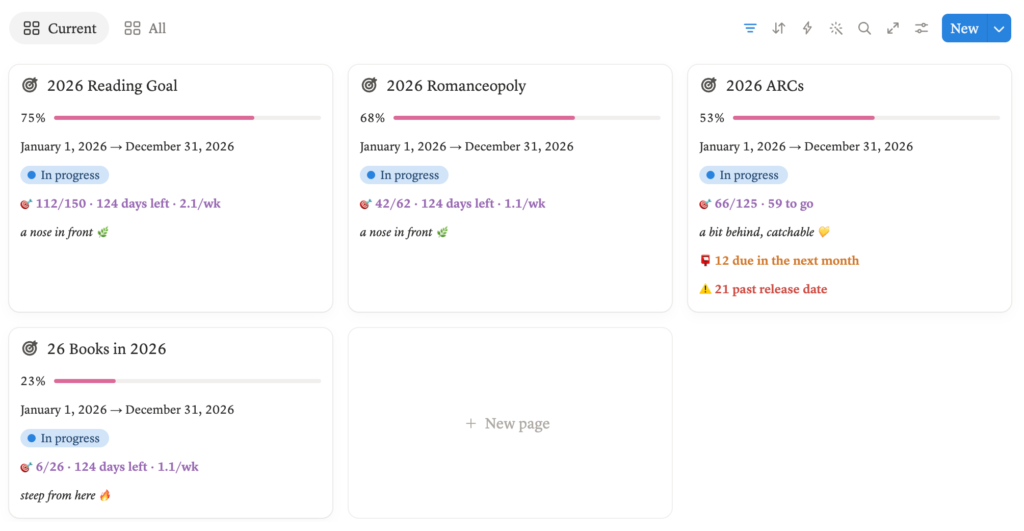
ARCs with their dates attached. If you review ARCs like me, you already know the dread of a looming ARC review deadline (or past due dates like it’s often my case). As I write this I’m at 66 read out of 125 for 2026 and 21 already past their release date. I know that now because Bookmarked is telling me.
But underneath all that, the template is still doing all that heavy work. Multiple formats for the same book, a full inventory of what I own and what I’ve borrowed, TBRs by month, recommendations saved for later, notes and quotes and reviews.
None of the non-reading parts are required, but if you also create content (whether it’s around books or something else) it’ll make your life so much easier without making that too complicated either.
Why I prefer a digital reading journal
A big reason this system works for me is privacy and all the connections. Privacy because sometimes I want to keep messy reactions, first impressions, or even quotes, to myself until I know what I actually want to say. Notion gives me that space.
And something a paper journal can never do is draw connections across authors, series, genres, years. Everything has to be maintained by hand in so many spreads in a physical journal and honestly, time is not abundant enough for that these days. Believe me, I tried very hard at making a true reading journal work and it just hasn’t in a couple of years for me.
Keeping a record and making something beautiful are really two hobbies. And I love both. But they need to be separate because one is a craft project and the other is keeping my reading data organized. So I need that record to live somewhere I can search and find things fast. Notion is that place.
Yes, I also use it for the stats
I would love to pretend this is all about practicality and not at all about how much I enjoy bookish data, but that would be a lie. I love seeing my most read authors, how many unread books I own, which formats I actually read, how long a book took me to read, and find all the little patterns that show up over time.
I’ve been keeping this record since 2009 and I read around 150 books a year, so by now the patterns are the interesting part. This year so far I’ve read 114 books, added 159 to my inventory, I’m currently keeping a 34 day reading streak and I’m ignoring over 20 ARCs (politely).
I also set myself a few challenges, including the 26 books in 2026 where I’m massively failing and the template is even saying it’ll be “steep from here”.
Is any of it necessary? No. Is it deeply satisfying? Absolutely. But occasionally it shows me something I wouldn’t have found on my own. And at times, I can adjust my reading accordingly so I pick up better books.
A good Notion reading tracker gives me the practical side of organization and the fun side of poking through my own habits like the stats nerd I clearly am.
Want to try my Notion reading tracker?
Everything above is now a template called Bookmarked. It’s the same system I’ve described here, it comes with written instructions and video tutorials on how to use it, and even an import guide if you want to bring your data from GoodReads or Storygraph.
It’s the version that I came to after years of trying and refining. If you’ve tried a reading tracker before (or you have multiple templates for different things) and you find it a chore to keep everything updated, that’s what I worked on fixing with this one.
Pin It for Later