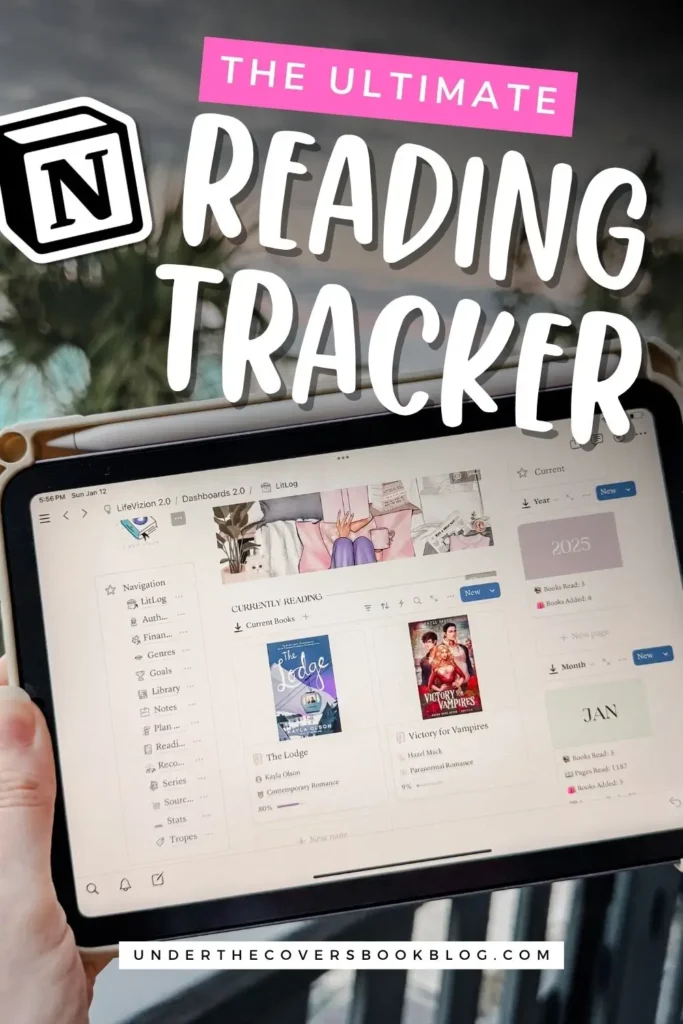
Inside My Notion Reading Tracker: How I Organize My Reading Life
A look inside my Notion reading tracker, including how I track books read, book inventory, reading notes, formats, preorders, and my TBR in one place.

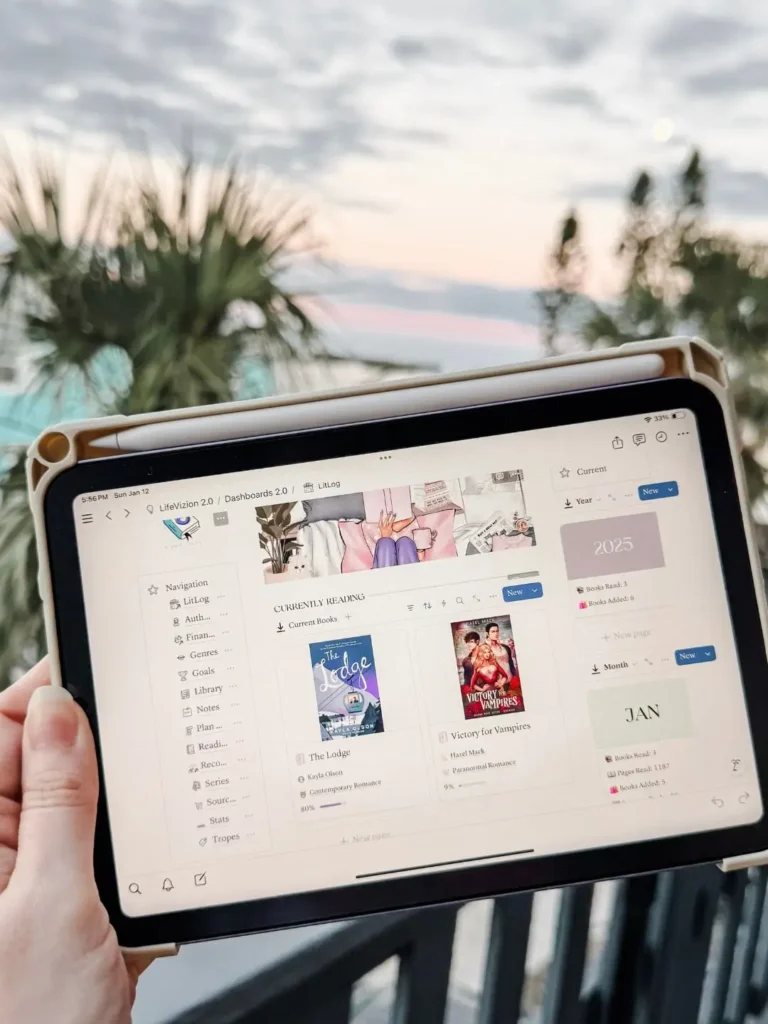
There are few things more humbling as a reader than realizing you either bought the same book twice or started reading something only to discover you already read it years ago and completely forgot. At some point, I had to accept that my brain was not going to keep track of my reading life for me, and neither was the random mix of apps, notes, screenshots, and blind optimism I’d been using up to that point.
That’s what led me to create my Notion reading tracker. I wanted one place to keep track of what I’ve read, what I own, what I borrowed, what I preordered, and all the notes and details that come with having a reading life that is just a little bit more chaotic than I’d like to admit.
This post contains affiliate links. That means we receive a small commission at no cost to you from any purchases you make through these links.
Why I Started Using a Notion Reading Tracker
I’ve tracked my reading for years in different ways. I used Goodreads religiously for a long time, and I also spent time trying StoryGraph. Both are useful, and both can work depending on what you need. But I kept running into the same problem: I didn’t just want to log books. I wanted a system that actually fit the way I read.
I wanted more flexibility, more privacy, and a way to organize my reading that didn’t force me into someone else’s setup. And that could reference and talk to each other in a way that a physical reading journal couldn’t do. That’s where Notion clicked for me. Instead of trying to make a public platform do something it wasn’t built to do, I created a system that works the way my brain works.
What I Track in My Notion Book Tracker
One of the biggest reasons I love using a Notion reading tracker is that it goes beyond a basic reading log. I wanted it all! I can track multiple formats for the same book, keep a full inventory of what I own, organize my TBR, save recommendations for later, and store notes, quotes, and reviews all in one place.
It also helps me avoid duplicate purchases, which is a very real risk when your shelves are crowded and your memory decides not to be helpful. Having everything in one place makes it much easier to see what I already have and what I actually want to read next.
Why I Prefer a Digital Reading Journal
Another big reason this system works for me is privacy. These days, I’m sharing my reading life a little differently, and I don’t necessarily want every thought or update living on a public platform. Sometimes I want to keep messy reactions, favorite quotes, and half-formed opinions to myself until I know what I actually want to say.
Using Notion as a digital reading journal gives me that space. It keeps everything organized, but it also feels a lot more personal. I can track my reading for myself first and decide later what I want to turn into a review, recommendation, or blog post.
When I’ve done this in a physical reading journal, then it’s hard to remember where I wrote what and it becomes hard to get information out of it. That to me is more of a memory keeping/scrapbook record which is a different kind of hobby, if that makes sense.
Yes, I Also Use It for the Stats
I would love to pretend this is all about practicality and not at all about how much I enjoy bookish data, but that would be a lie. I love being able to see my most read authors, how many unread books I own, what formats I use most, how long did it take me to read a book, how many and format do I own of a book and all the little patterns that show up over time.
Would you like to save this?
Is any of that necessary? No. Is it deeply satisfying? Absolutely. And it can tell you some things about your reading life that may help you make better decisions or get to your TBR. A good Notion reading tracker gives me the practical side of organization and the fun side of being able to poke through my reading habits like the stats nerd I clearly am.
Watch My Notion Reading Tracker Walkthrough
If you want to see exactly how my Notion reading tracker works, I’ve embedded my full YouTube walkthrough below. That will give you a better look at the setup, how I organize everything, and whether this kind of system might work for your reading life too.
Want to Try My Notion Reading Tracker?
I made two versions depending on how detailed you want your tracking to be. The Full Notion Reading Tracker is for readers who want the whole system, including inventory, stats, formats, notes, and multiple years of tracking. The Simple Notion Reading Tracker is for readers who want a cleaner, lower maintenance option that still keeps their reading organized without turning into a second job.
If you’ve been looking for a Notion reading tracker that helps you keep your reading life together in one place, these are the exact systems I created for that.
Pin It for Later