How I Replaced Doomscrolling With Reading (Without Deleting Every App)

Something I’ve noticed lately is that doomscrolling isn’t hitting the same for me. While we can get lost in the habit and that’s not a good thing, there was a sense of comfort in it for some time. But that quick dopamine rush? It’s not rushing anymore. And instead of feeling like it’s a good distraction, I’ve just felt kind of bored with it.
So I’ve been trying something different. Not a total phone detox or deleting every app. Just shifting that default habit into something that actually feels better. Last month I talked about cozy iPad games for when I couldn’t focus on reading but didn’t want to fall back to doomscrolling. Today I wanted to share some reading tips and how I replaced doomscrolling with reading (without making it a whole productivity project) and the little things that helped make books feel easier to reach for again.
This post contains affiliate links. That means we receive a small commission at no cost to you from any purchases you make through these links.
But how did we get here?
It starts with good intentions. You’re just checking Instagram “real quick.” Then you blink and you’ve somehow gone from a cozy bookshelf reel to a raccoon in a bucket hat holding a juice pouch. Your neck hurts. Your brain feels fuzzier. You forgot why you even opened your phone.
That used to be my exact evening routine. I’d doomscroll my way into mental clutter, telling myself I should be reading, and then… doomscroll some more because the thought of a book felt “too much.” But something had to change. I wasn’t feeling guilty. I just missed reading.
And I’m not saying anyone needs to quit their phone cold turkey, but just by making small, realistic shifts, I found ways to read more and scroll less that worked with my habits instead of fighting them.
Now before we get into the how I replaced doomscrolling with reading, I want to start with the why we doomscroll. Because it isn’t a personal failure. It’s a coping mechanism.
Why We Doomscroll in the First Place
The biggest thing for me was being overstimulated but still searching for escape. Sometimes when I’m tired, especially after a busy work day, my brain is still spinning and I need something to help me decompress. I want to relax, but I can’t just sit and rest or close my eyes and just go to sleep. So scrolling became part of the transition.
Another big reason is the illusion of connection. I feel like I have to catch up with what’s been going on. As a chronically online person, doomscrolling gives me that false sense of socializing and being up to date with all the information. But most of it is just noise.
And let’s not forget, after a while this is just a habit loop. I sometimes find myself scrolling in line, while brushing my teeth, while cooking. I think it feels like my fingers are moving before my brain catches up and the app is open.
I still scroll. Sometimes more than I’d like. But I’ve found ways to also read more, and I feel better because of it. So here’s what helped me shift out of the scroll cycle, what I use to make reading more accessible and how you can make picking up a book the easier choice in your life.
Let’s Talk Strategy: How I Replaced Doomscrolling with Reading
I didn’t just wake up one day and stop scrolling. Here’s how I eased out of the habit, one step at a time.
P.S. I’m on an iPhone, so some of these settings are Apple-specific, but the general idea works no matter your phone!
Turn off all notifications
The first is a tip I’ll give you but I’ve always done, even as a content creator. I have all my notifications turned off. No badges, no previews, no “you might like this”. The only thing that notifies me is a message (text or WhatsApp) and a phone call. And even those sometimes are iffy because my phone hates me. Instagram never tells me I have a notification. YouTube doesn’t tell me there’s a new video by a channel I follow. When I open the app I see my notifications. But the app is not calling me to open it. Do I miss messages sometimes? Yes. Is that ideal as a content creator? Not really. But for my mental health? Completely necessary.
Track Your Screen Time
Awareness is half the battle and it helps to track your screen time so you can make adjustments. I personally look at my iPhone screen time report and check how much time I spend on each app. If the total makes me cringe? That’s my cue to shift something. And I don’t tackle them all at once. I just make sure to recalibrate and be more aware that certain app (I’m looking at you TikTok) took too much of my time the day before. Whenever I catch myself, or my fingers, opening that app the next day I purposefully close it and give myself a few minutes. When it’s just reflex, I usually don’t go back. The goal of course isn’t to delete everything, but if I can shift at least 20-30 minutes, it’s a job well done. If you don’t know where to find that on iPhone, go to Settings, Screen Time, See All Activity.
Reduce the Friction
Now the next part is the key turning point. You have to make reaching for a book easier than your phone. That can look different for everyone so here’s some ideas. Leave your phone in the bedroom as you walk around your house and instead have your book on the couch, or your Kindle in the kitchen if location is you need the physical barrier. For me, it was about retraining the muscle memory. I moved the apps I wanted to avoid so they weren’t on the main screen of my phone and instead moved my audiobook apps and my Kindle app to the front. I always have an audiobook and an ebook queued up so no matter what I feel like doing in the moment, there’s a book for that. Removing the friction is how habit stick more than being disciplined. Make the path smoother.
Your Tech Can Help You
Here’s how I’ve setup my phone to support reading instead of distractions. Again, these are small changes that lowered friction.
For some reason, when I’m reading at night my eyes get extra tired. More so than doomscrolling! Go figure. And yes, I love my e-readers with e-ink displays but sometimes you can’t pry that phone off my hands. So reading on the phone is the way to stop scrolling. To reduce the eye strain, I have my iPhone set to shift to warmer tones at night. You can find that in Settings, Display, Night Shift, Schedule sunset to sunrise. For others, dark mode may be better or Auto-Brightness. Play around with what works for you.
You can also create a reading mode automation. This has been really cool and perfect to set after everyone in my house has gone to sleep. It’s a little self care time, just for me. In the Shortcuts app, create a routine that activates every night. These are my settings
- Trigger: 9:30 PM
- Actions:
- Enable Reading Focus Mode
- Set brightness to 30%
- Open Kindle app
- Start my “cozy reading” playlist
Would you like to save this?
This is the perfect nudge that sets the mood. On iPhone, you can also set a custom Reading focus mode. Go to Settings, Focus, Add. Name it “Reading” and allow only your bookish apps (Kindle, Libby, Audible, Spotify, whatever you use). Customize your lock or Home Screen to hide all distracting apps when this focus mode is on. This really is the best for that pesky muscle memory.
Another great thing that works for me is adding a reminder nudge. You can use the Mindfulness app to remind you to pause during scroll-prone times. I’ve set my Bookly app for example with a reading reminder at 9pm and that’s usually a good internal cue that interrupts the scroll and gets me thinking: Would a book feel better now?
If you want to be more ruthless you can set app limits per day, but that is not something I had the need to do.
Audiobooks Are Your Friend
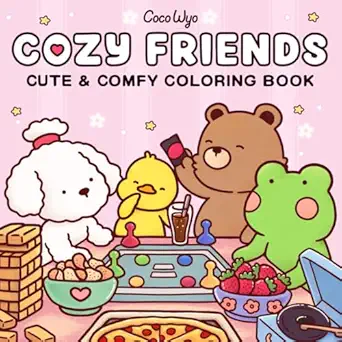
I’ve been an audiobook lover for more than 15 years, and no, I will not argue with anyone that says that isn’t reading. I’ve certainly been using audiobooks a lot more lately. They worked well when I’m tired or overstimulated, especially when paired with another cozy hobby that gives my hands something to do. For example, an audiobook and coloring or an audiobook and a cozy game on my iPad? Perfection. This was honestly a game changer in how I replaced doomscrolling with reading, by combining it with also another cozy hobby. Two for one!
I’ve since set up my iPad as my go-to when I would otherwise be scrolling, with coloring, puzzles and cozy games ready to pair with an audiobook. Every app I use is in my iPad analog bag.
These are some of the tools I use:

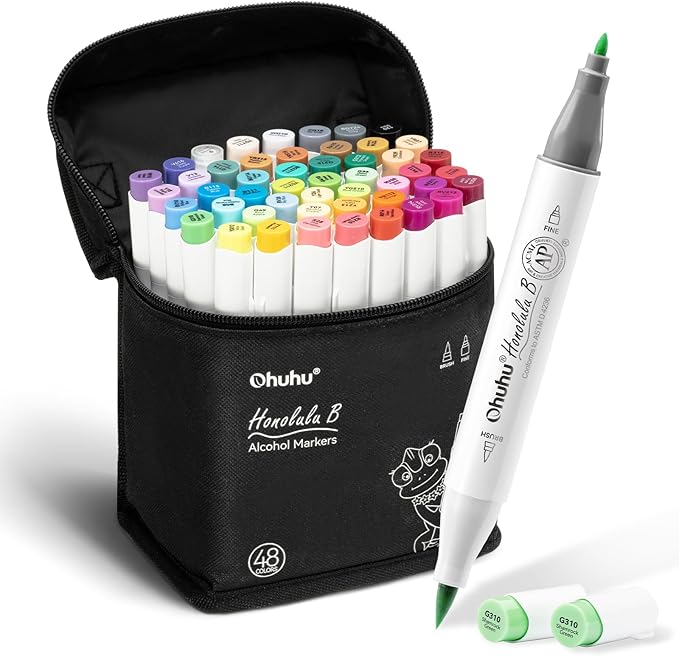
Are you ready to give it a try?
If you’re trying to find your way back to reading and step away from your phone, I hope one of these tips helps you even in some small way. And more importantly, I hope reading feels good again. But if you need a little more help, let your astrology help you set up a reading routine that sticks.
Pin It for Later